
Jiyan Rainbow HyperOS Theme – Candy Pink and Orange Gradients
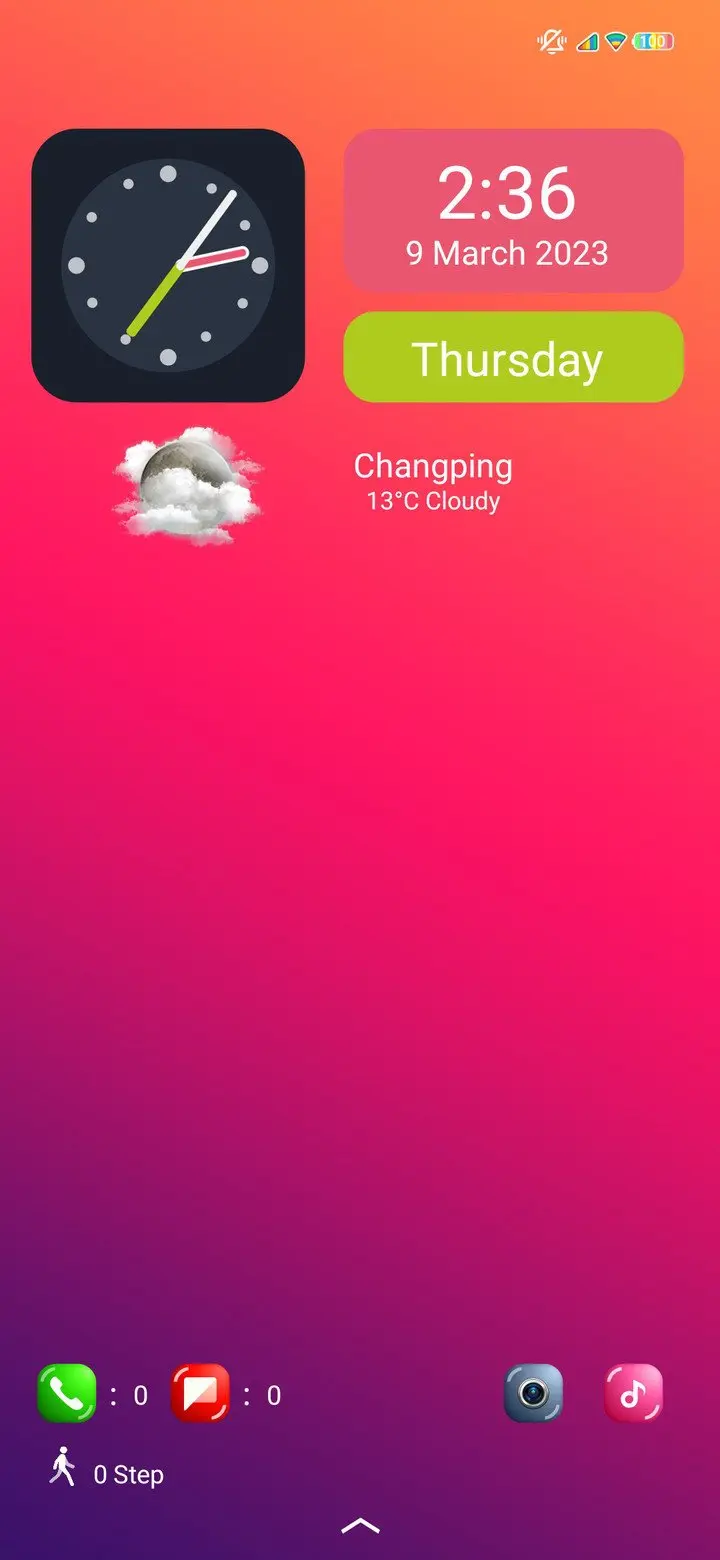
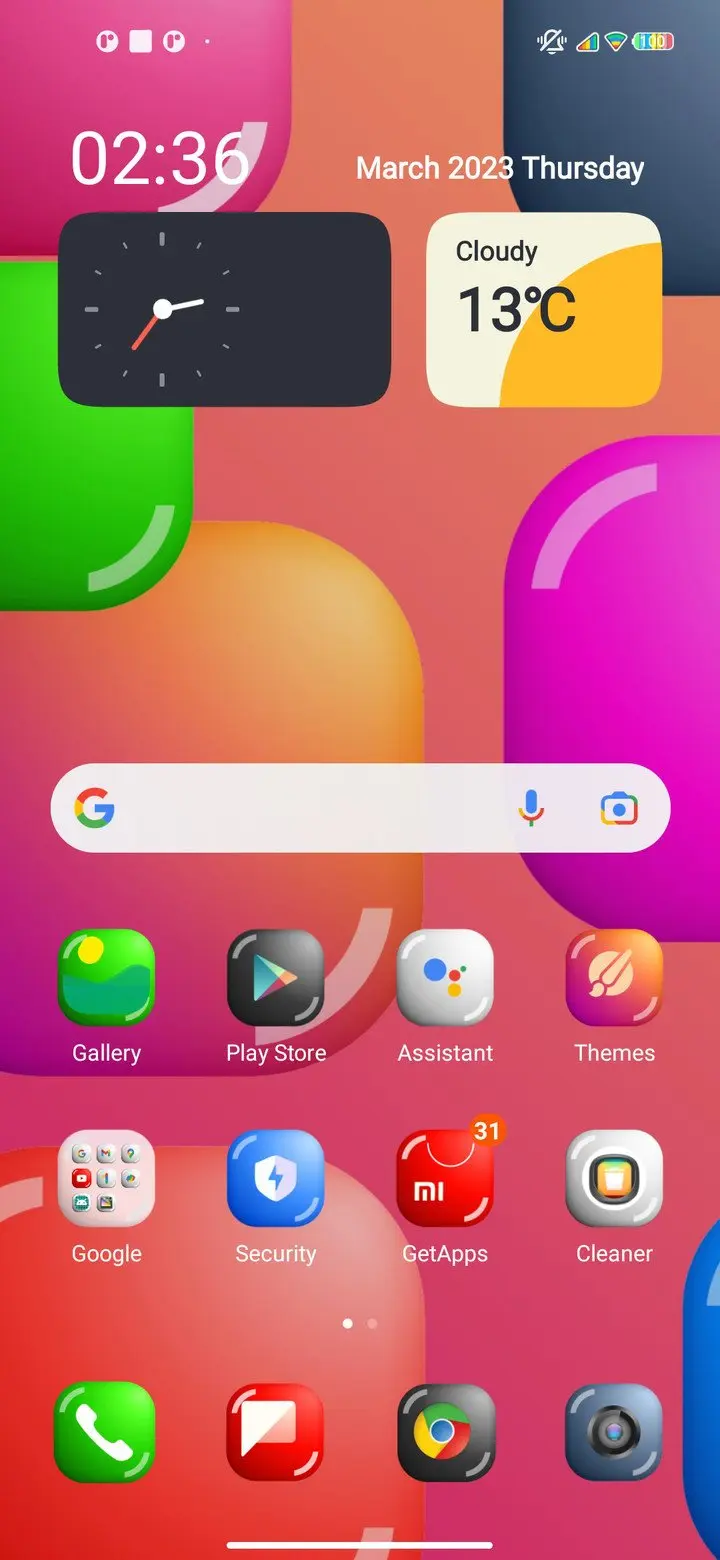
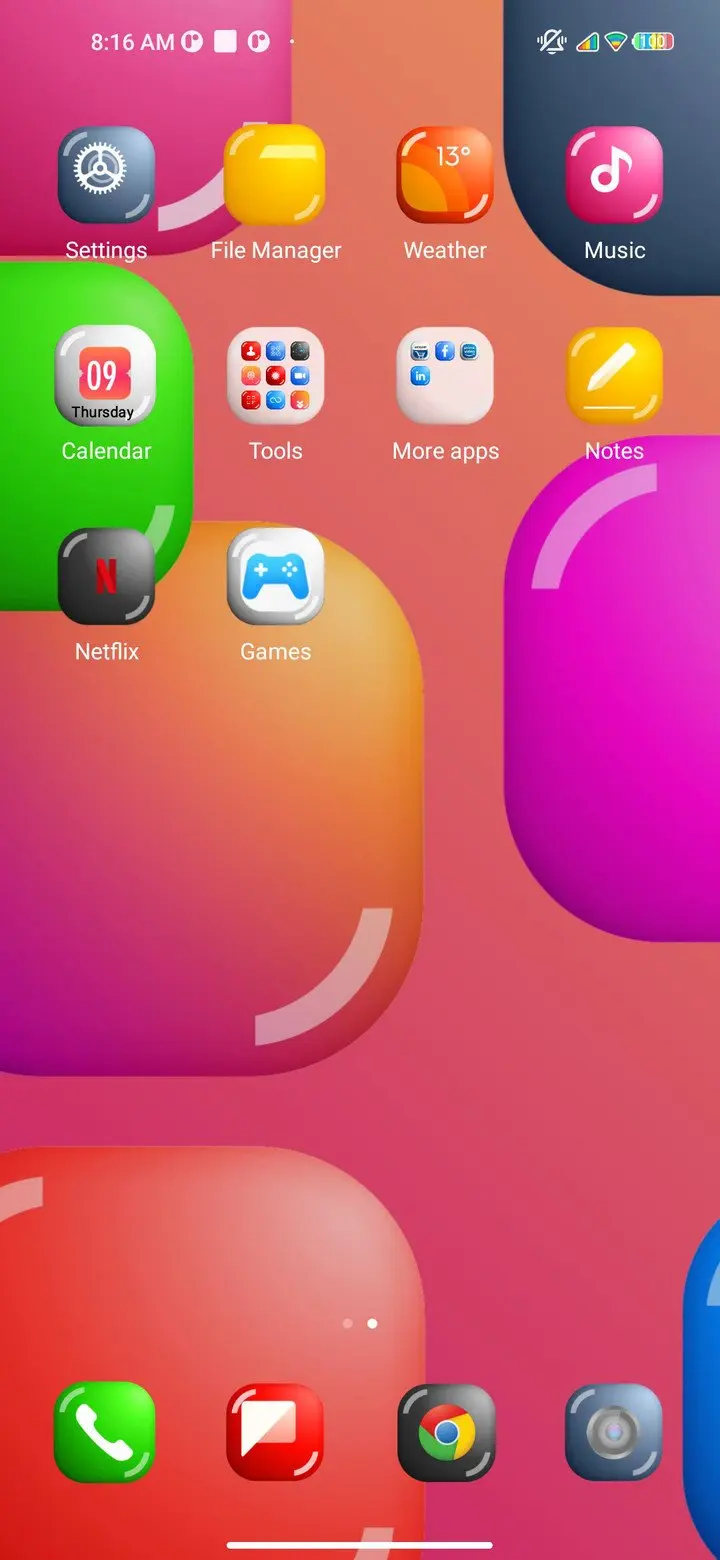
Jiyan Rainbow by agit77 looks good enough to eat. Glossy, jelly-like shapes in hot pink, orange and lime green bulge across the wallpaper, catching light like boiled sweets. If you like your phone loud and happy, keep reading.
What makes it stand out
- Widgets: a black analogue clock with coloured hands and a pink date card on the lock screen; clock and weather cards on the home screen.
- Icons: shiny, puffy icons that match the jelly wallpaper.
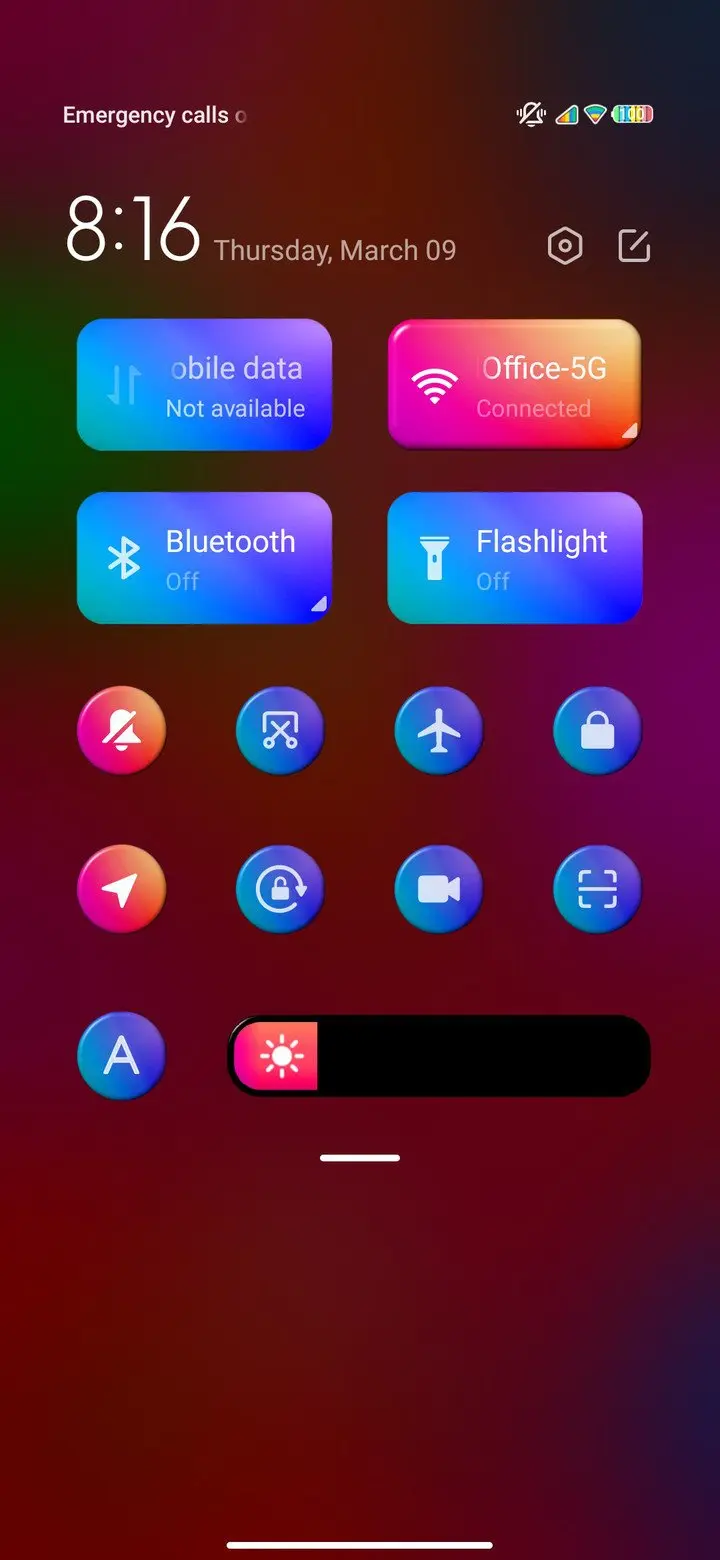
- Control center: pink, orange and blue toggles on a dark red background.
- Mood: bright, toy-like and very colourful throughout.
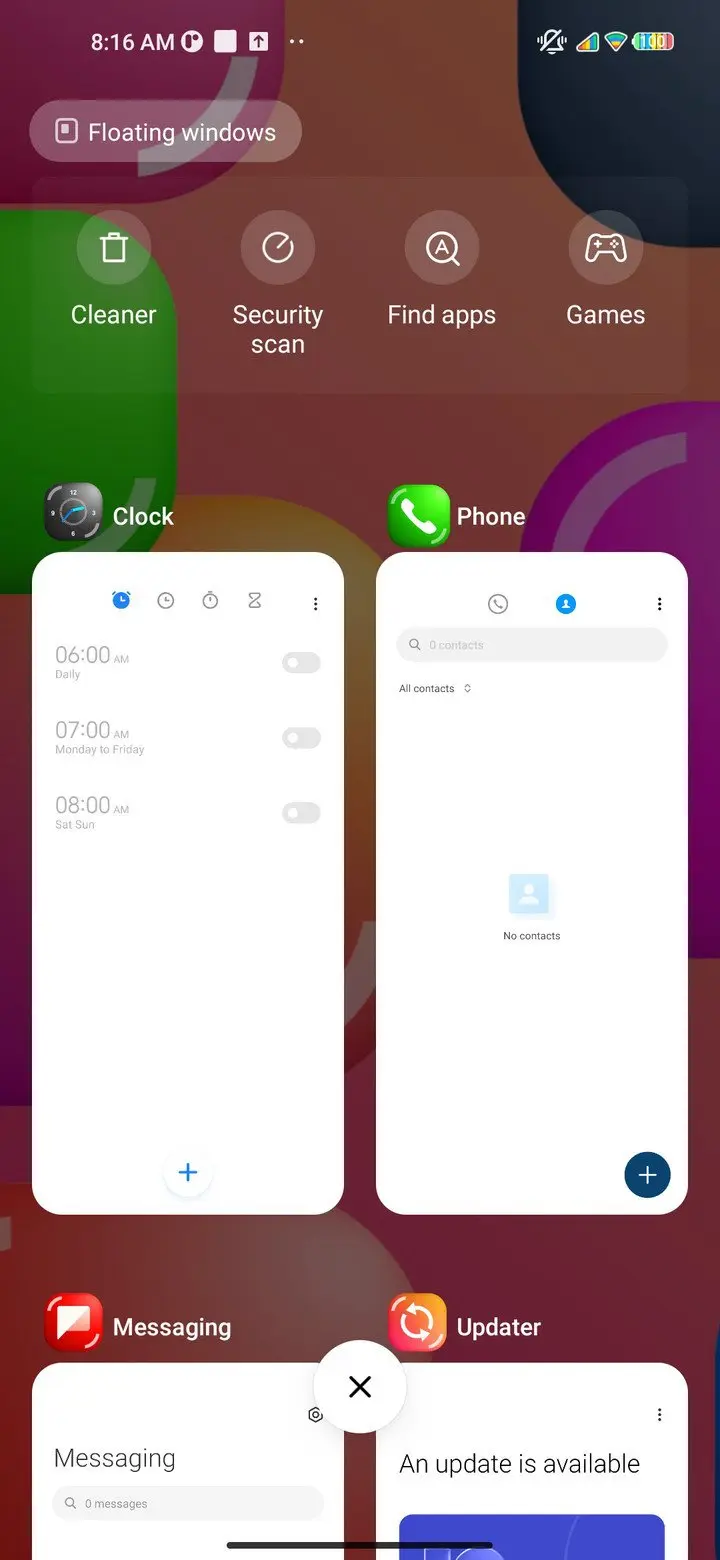
The candy palette is consistent, which is what keeps it from looking messy. Even the recent apps view keeps a red-pink backdrop.
Screen by screen
The lock screen puts two clocks side by side, an analogue face in a dark square and a digital time card, over a hot pink to red background with a weather note below. The home screen keeps the clock and weather widgets at the top over big glossy jelly-like blobs in pink, green and orange.
Icons are bold and colourful, matching the candy blobs, and the app drawer continues the same bright look. The control center is dark red with neon outline tiles in pink, blue and purple, so even the toggles feel like part of the rainbow.
Hands-on with Jiyan Rainbow
Bijay installed Jiyan Rainbow on our Redmi Note 14 5G (HyperOS 3.0) and lived with it through a normal week of messages, maps and photos. Even in bright daylight the analogue clock read clearly. Nearly every app on our home screen, third-party ones included, got a themed icon, which is impressive for such a stylised set.
Settings, the control center and the dialer only partly follow the theme, so a few screens look stock. Surprisingly, it was comfortable at night, and we saw no lag or glitches. It earned a place as our daily theme.
Before you install
At 33.44 MB it is a mid-to-large package, so use Wi-Fi if you can.
Theme details
Everything to check before you install
More colourful options
For another bright pick, try XiuXiu, or see ProPro for a different style.
What we like
- Bright, playful candy colours
- Analogue clock and weather widgets
- Glossy icons with a 3D feel
- No lag in daily use
Keep in mind
- Very strong colours
- Settings and control center only partly themed
4.1/5 Hands-on score · How we score
Jiyan Rainbow is pure fun, and it was cheerful enough that it became one of our daily themes.
Add Jiyan Rainbow
Jiyan Rainbow is available through Xiaomi’s own Theme Store. Tap the button below on your phone; the 33.44 MB package installs from there.







0 comments