
line amoled neonx2 HyperOS Theme – Neon Line Icons on Pure Black
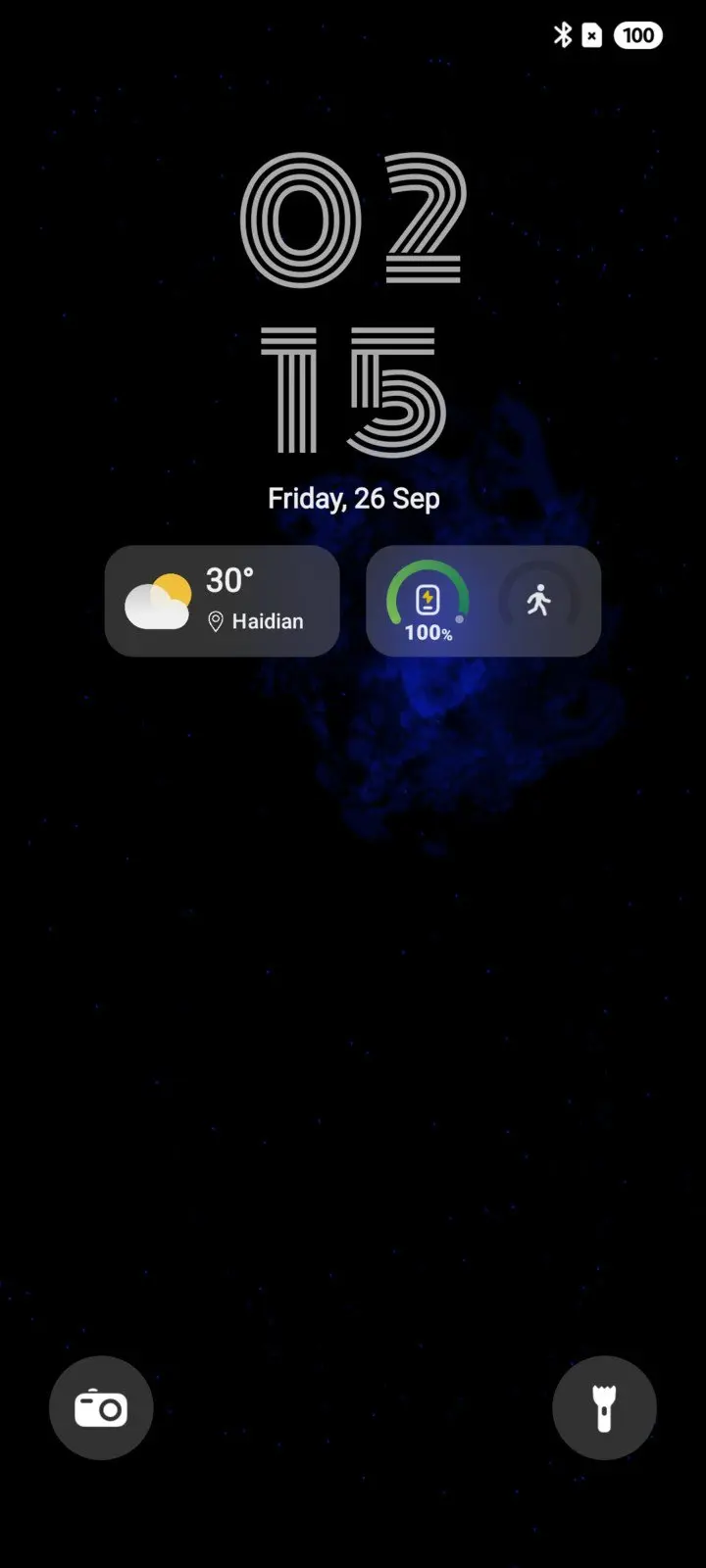
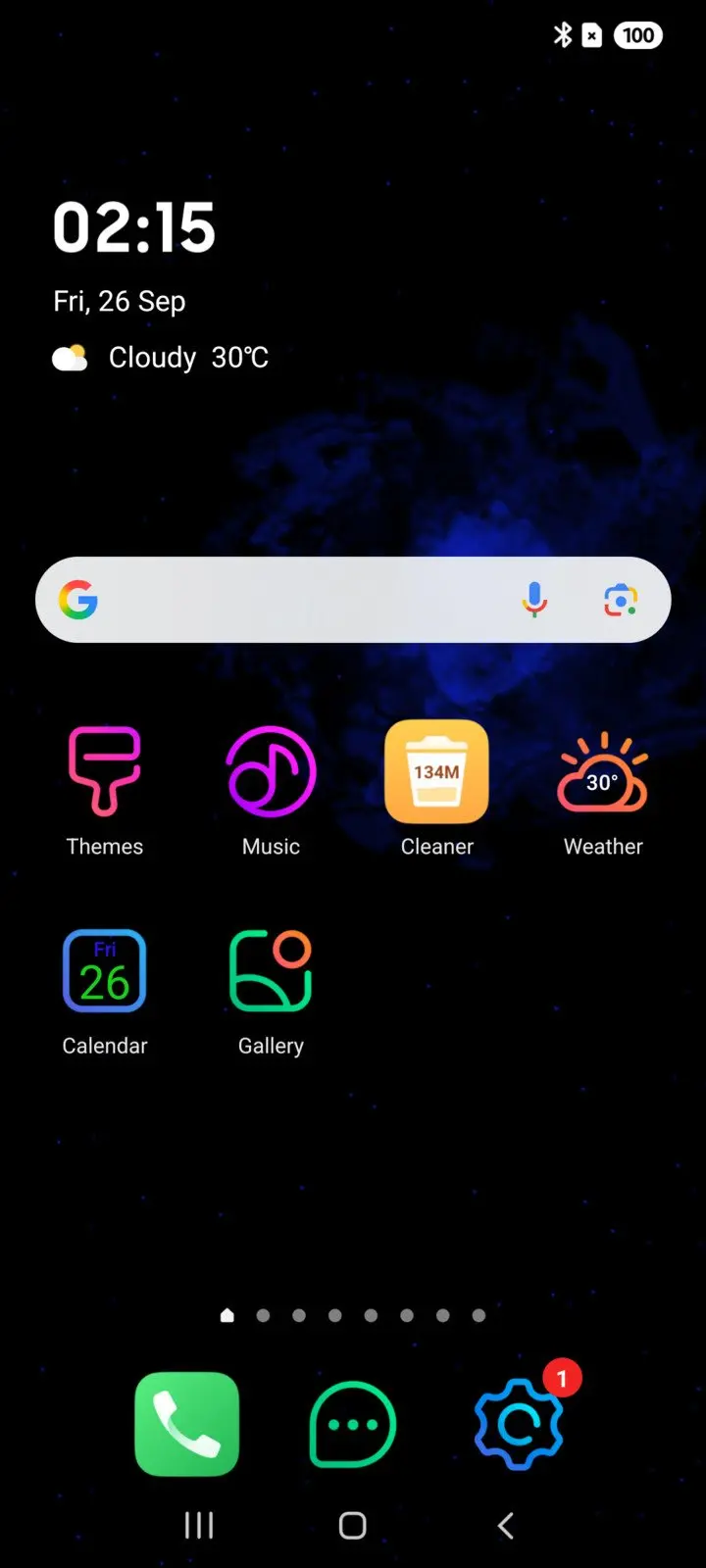
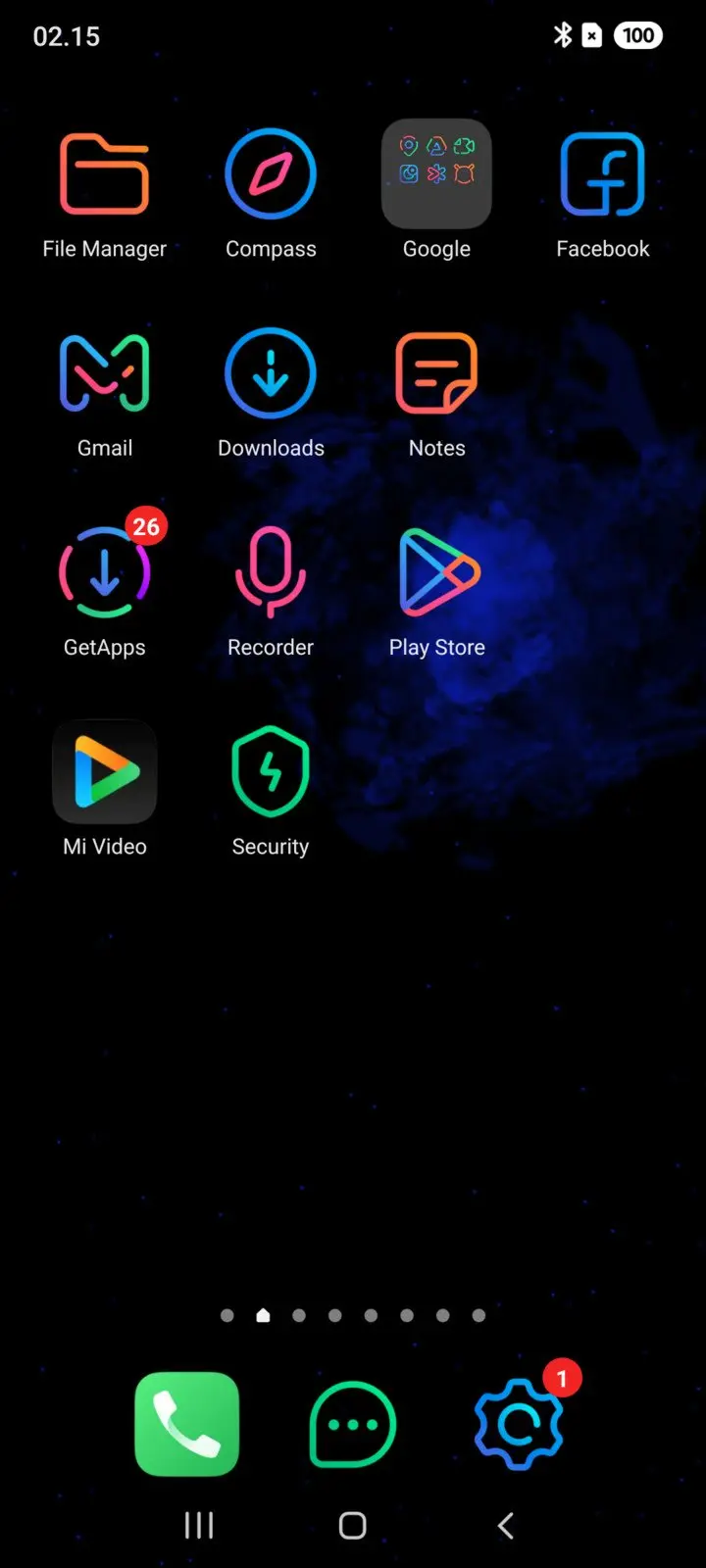
line amoled neonx2 by Gearstkm is made for AMOLED screens: the background is pure black, so unused pixels stay off.
Every icon is drawn as a thin glowing neon outline in pink, blue, purple and green.
line amoled neonx2 HyperOS Theme for Xiaomi, Redmi and POCO
A stacked clock and small weather widget sit on the lock screen, and the home screen adds a clock and search bar. It is a large 76.85 MB package.
What line amoled neonx2 changes
- Lock screen: a stacked clock and weather on pure black.
- Home screen: a clock, search bar and neon icons.
- App icons: glowing neon line icons.
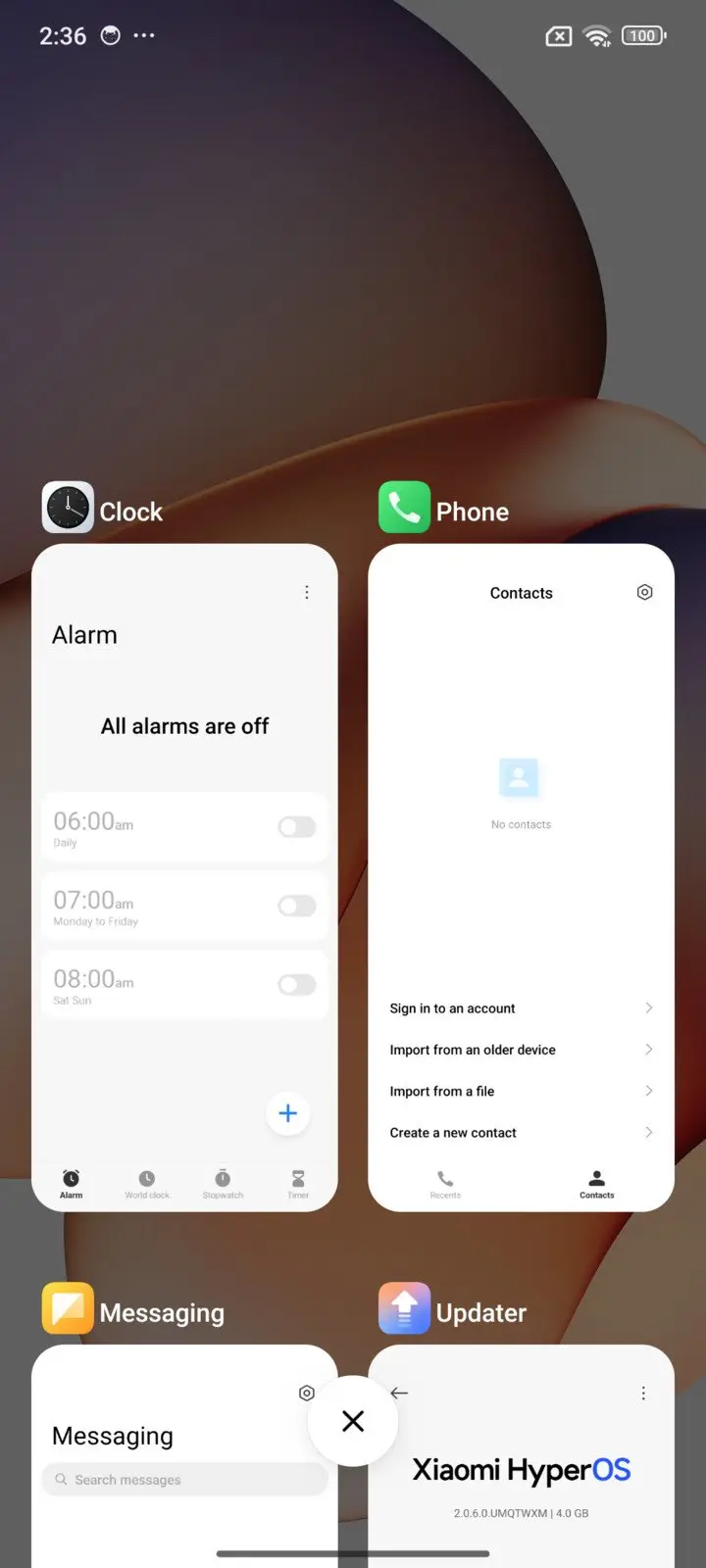
- Recent apps: app cards on black.
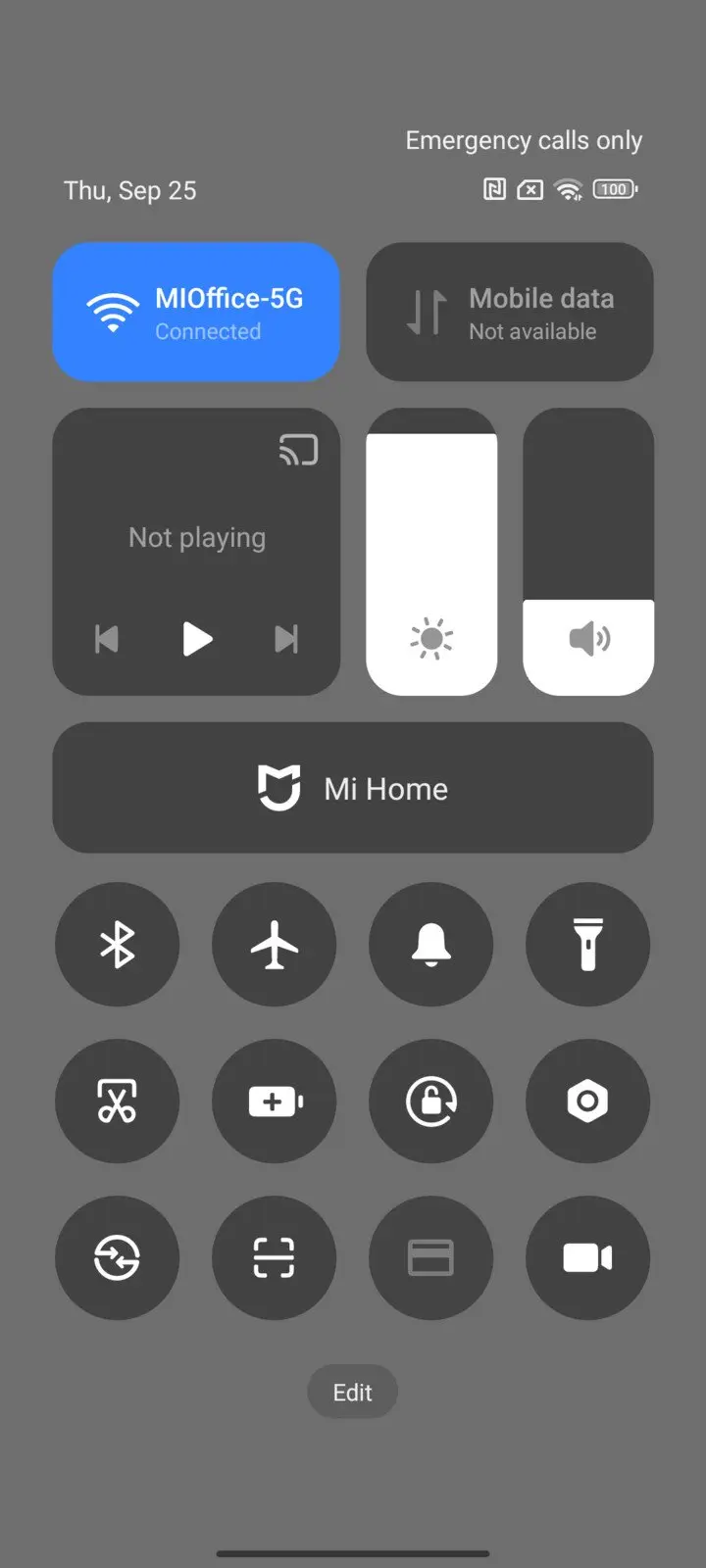
- Control center: a light panel.
Theme Preview
All 5 screens below come from the theme’s official preview set. Tap any screen to open it full size.
line amoled neonx2 Xiaomi Theme Details
Theme details
Everything to check before you install
Our hands-on notes
Bijay used line amoled neonx2 on our Redmi Note 14 5G with HyperOS 3.0 for everyday tasks. Reading the lock screen in sunlight was no problem, and most of the apps we use every day got themed icons. Settings, the control center and the dialer only partly followed the theme, so some screens still looked stock.
It was comfortable to use at night, with no lag or glitches when switching apps. It stayed on as our daily theme.
Pros, cons and our verdict
What we like
- Pure AMOLED black
- Glowing neon line icons
- Clean look
Keep in mind
- Very large 76.85 MB package
4.0/5 Hands-on score · How we score
line amoled neonx2 is a sleek neon theme that looks great on AMOLED phones.
Get the line amoled neonx2 HyperOS Theme
line amoled neonx2 is on the official Xiaomi Theme Store. Open this page on your phone, tap the store button and choose the Themes app when HyperOS asks how to open the link.








0 comments