
Hello HyperOS Theme – Colourful ‘hello’ Lettering on Pure Black
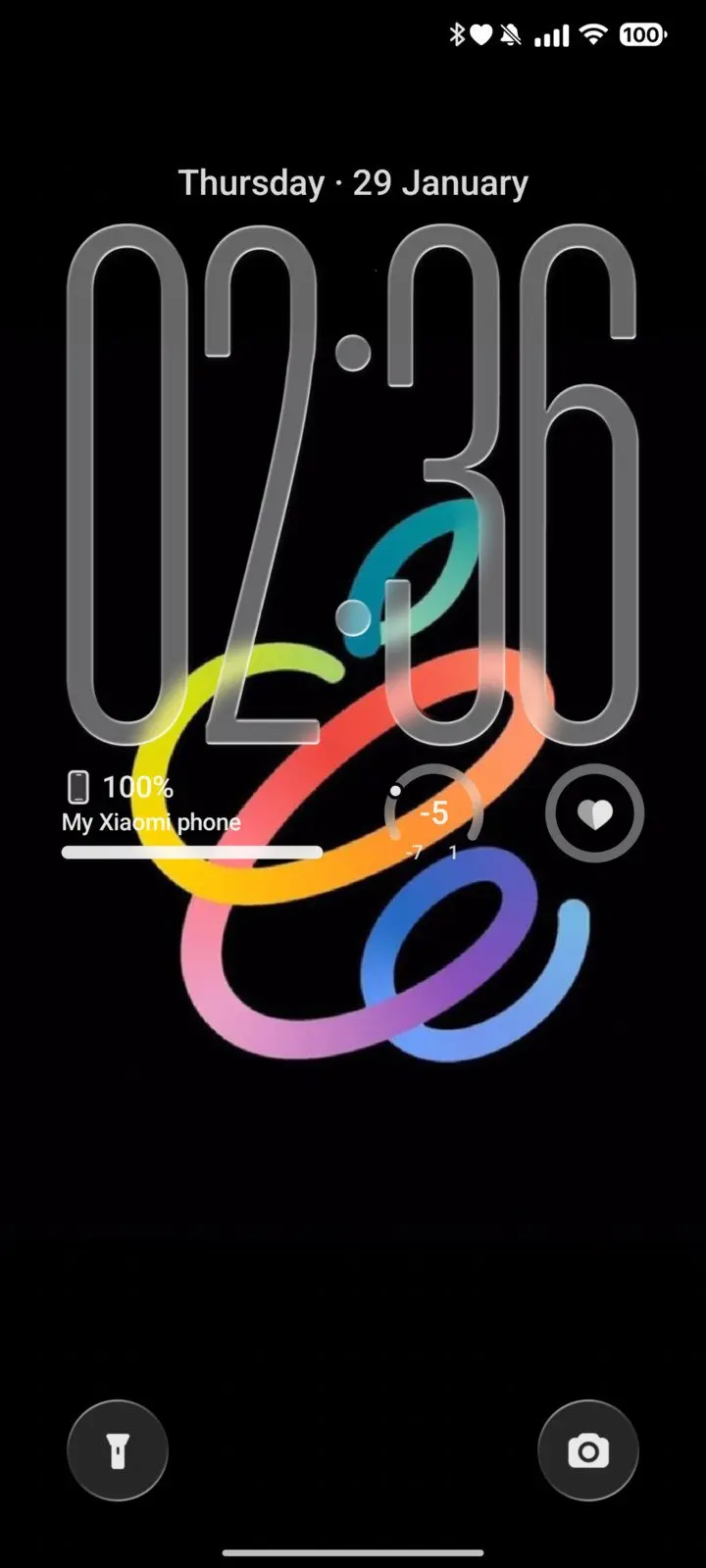
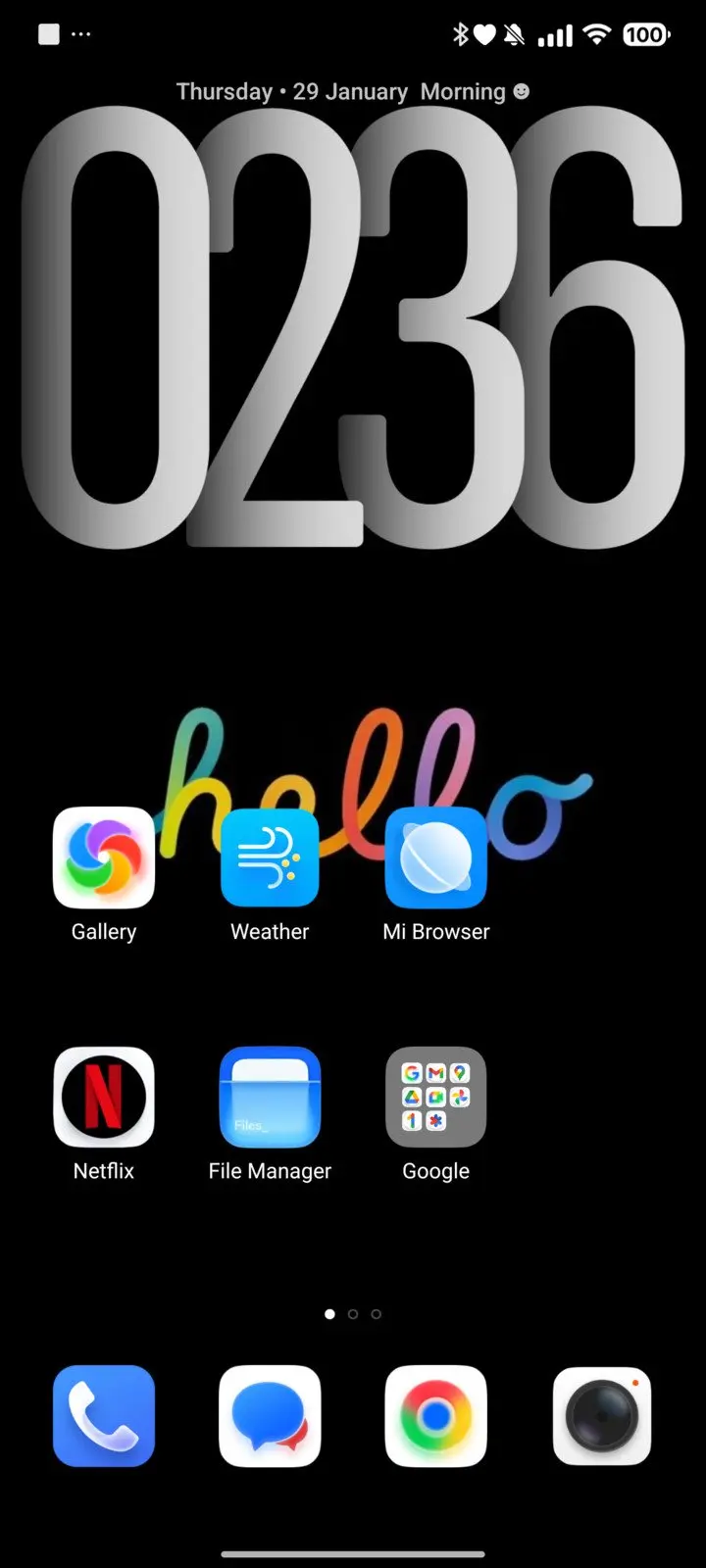
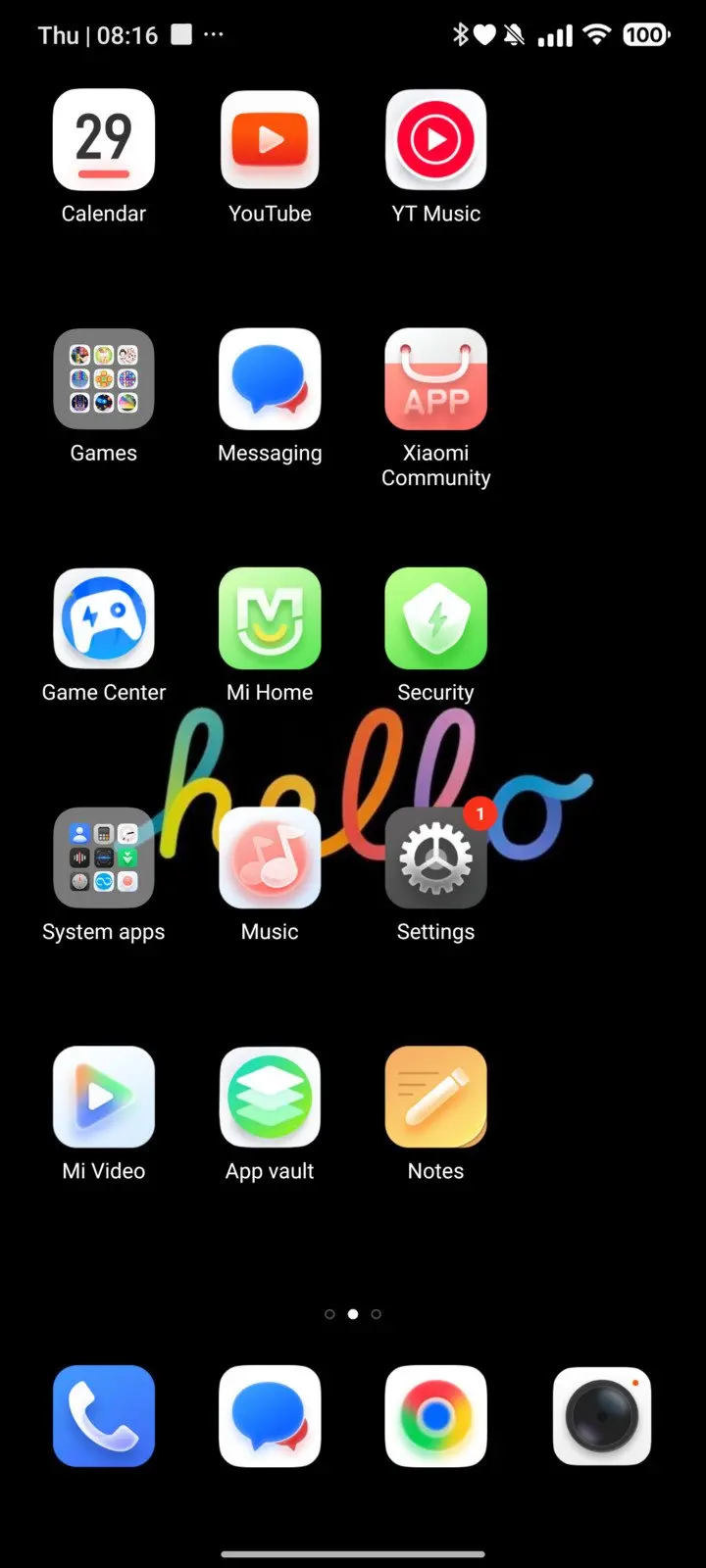
Hello by Eto’mox keeps the background pure black and adds one bright detail: the word ‘hello’ written in a looping, rainbow-coloured script.
A tall outline clock sits above it on the lock screen.
Hello HyperOS Theme for Xiaomi, Redmi and POCO
The home screen shows a large outlined clock with the lettering below it and colourful icons. It is a 13.56 MB package.
What Hello changes
- Lock screen: a tall outline clock above the ‘hello’ script.
- Home screen: a large outlined clock and colourful icons.
- App icons: bright icons on black.
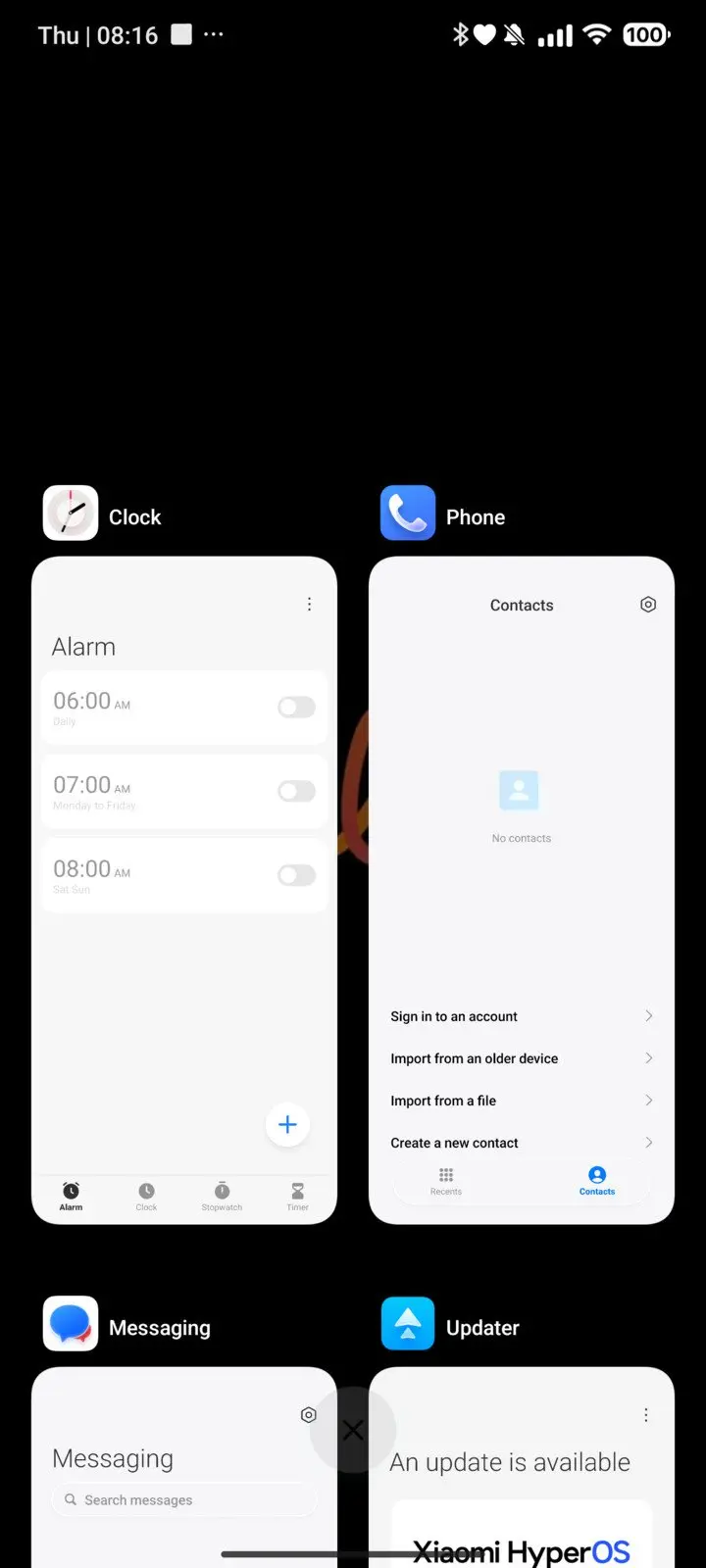
- Recent apps: app cards on black.
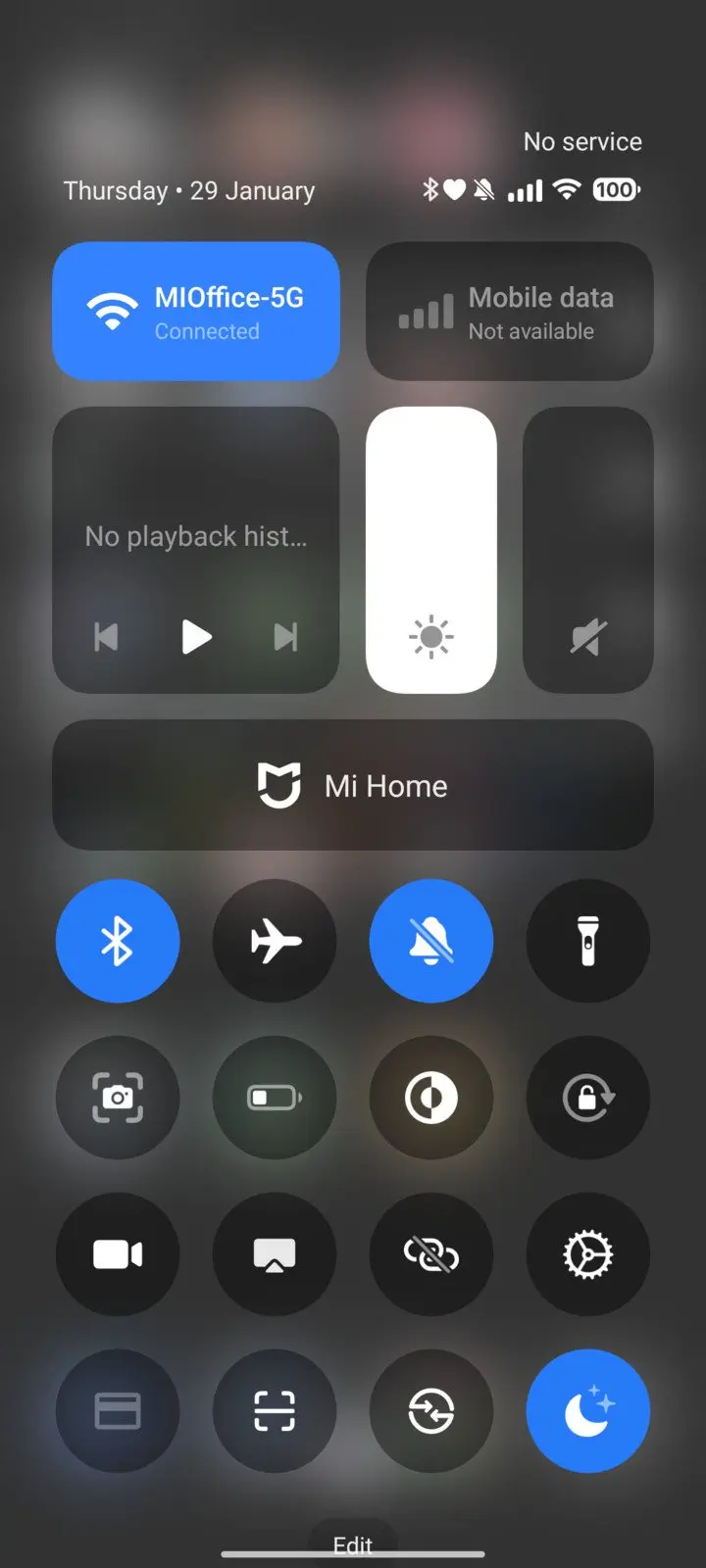
- Control center: blue toggles on a dark panel.
Hello borrows the ‘hello’ lettering style made popular by Apple. It is an independent theme and is not affiliated with Apple.
Theme Preview
All 5 screens below come from the theme’s official preview set. Tap any screen to open it full size.
Hello Xiaomi Theme Details
Theme details
Everything to check before you install
Our hands-on notes
Bijay used Hello on our Redmi Note 14 5G with HyperOS 3.0 for everyday tasks. The lock screen stayed easy to read outdoors, and almost every icon on our home screen was themed, including third-party apps. A few system screens, such as Settings or the dialer, kept the stock look.
Night use was easy on the eyes, though we spotted one minor visual glitch that did not affect use. We were happy to keep it as our everyday theme.
Pros, cons and our verdict
What we like
- Friendly colourful lettering
- Pure black base
- Light 13.56 MB package
Keep in mind
- Plain apart from the script
4.1/5 Hands-on score · How we score
Hello is a cheerful, minimal dark theme with a welcoming touch.
Get the Hello HyperOS Theme
Hello is on the official Xiaomi Theme Store. Open this page on your phone, tap the store button and choose the Themes app when HyperOS asks how to open the link.








0 comments