
Iron Giant HyperOS Theme – A Dark Steel Mech with Red Lights
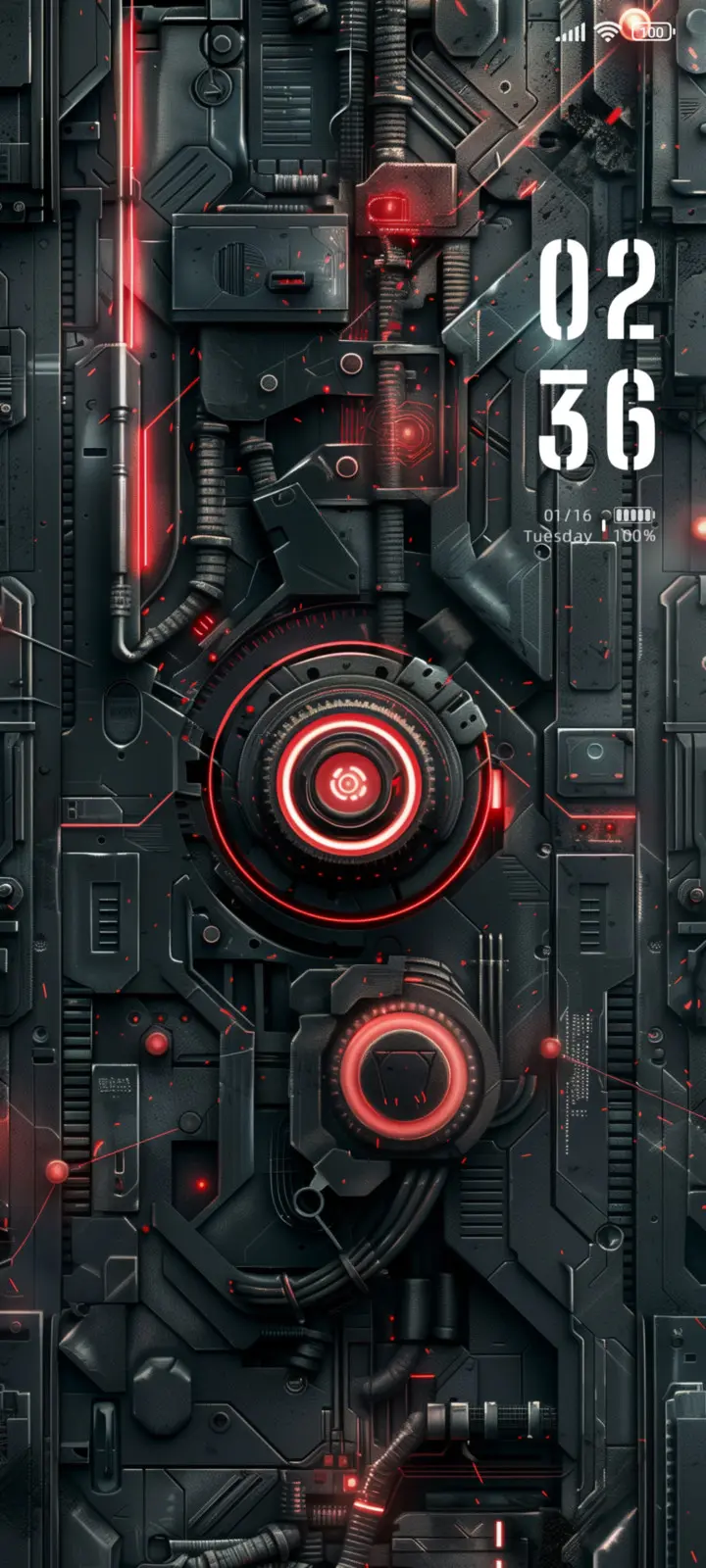
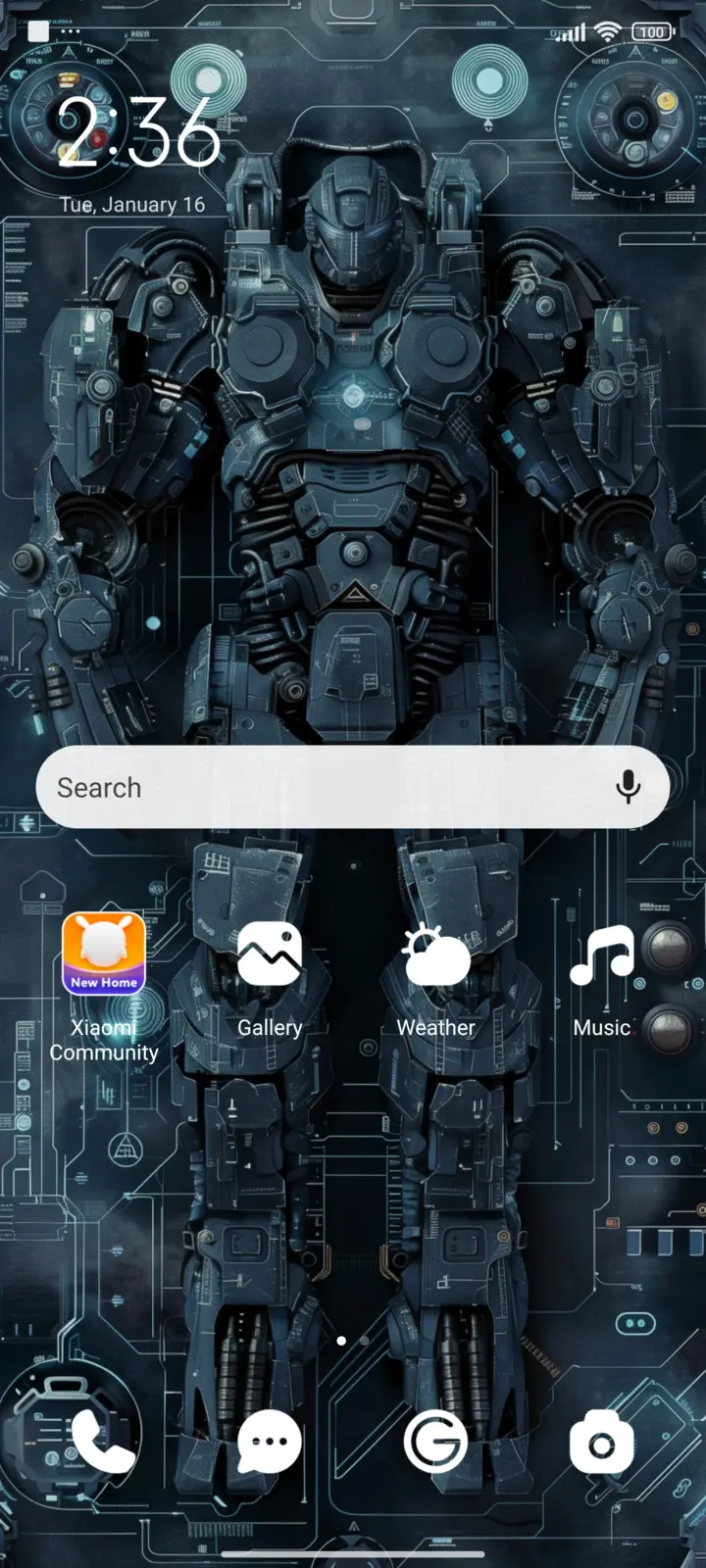
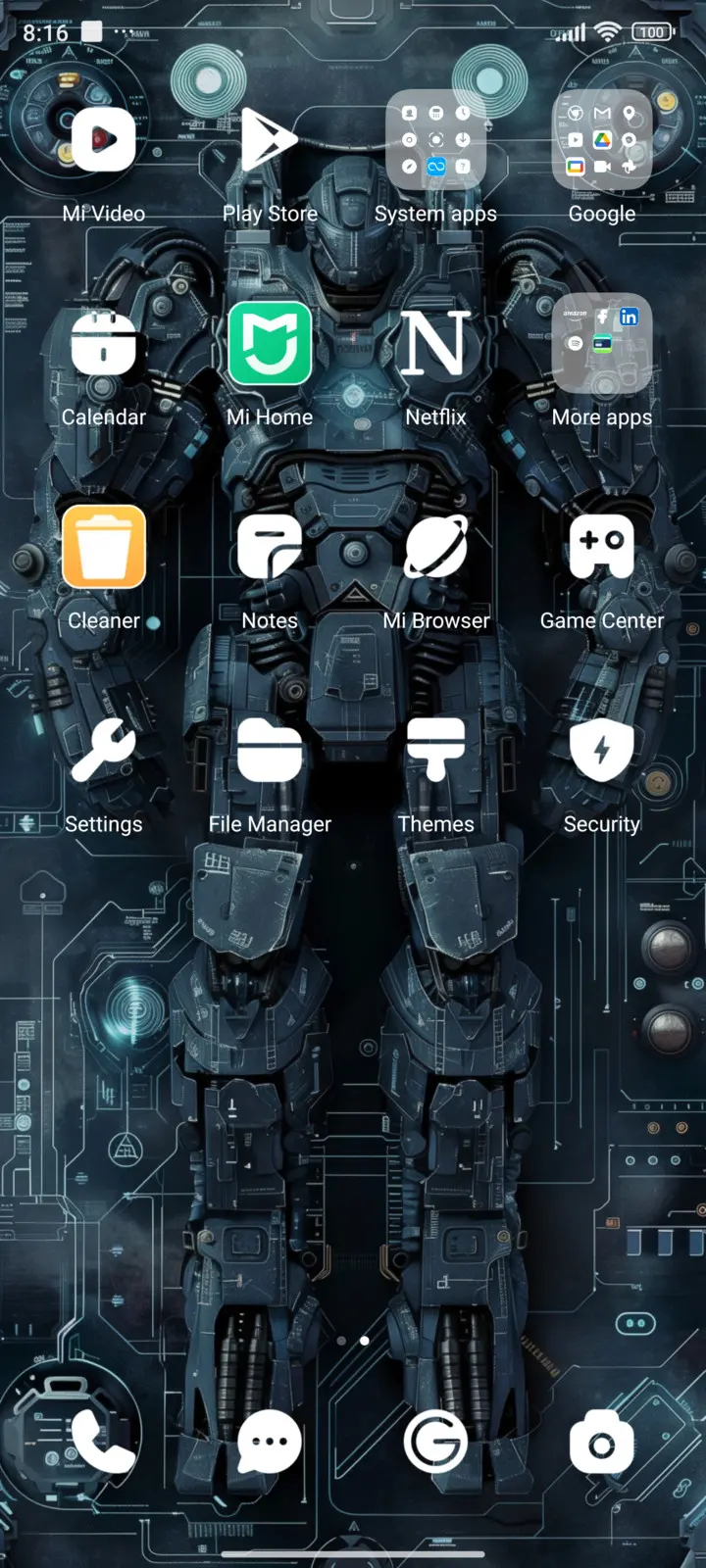
Iron Giant by MMOD Design, who also made Shadow, goes full science fiction. The lock screen is a close-up of dark, armoured machinery with a glowing red ring at its centre, like the core of a robot. The home screen pulls back to show a full armoured mech standing in blue-grey shadow. The artwork is generic sci-fi and is not linked to any film.
Design
A white stacked clock sits on the right of the lock screen, next to the red glow. On the home screen, the icons are dark with white symbols, chosen to sit inside the mech’s metal plates.
Screen by screen
Iron Giant’s previews show a dark armoured robot with glowing red details. The lock screen stacks a small white clock beside a red circular core, and the home screen shows the robot behind a white search bar.
Icons are dark tiles with white symbols that suit the metal look. The previews show the lock, home and icon screens. It is a heavy, sci-fi style for people who like machines.
Things to know
It is a dark, detailed theme: great for mood, less so for finding apps quickly, as the busy artwork sits behind the icons.
Review basis
We have three official previews of Iron Giant and have not tested it on our phone.
Theme details
Everything to check before you install
- File size
- 15.36 MB
- Developer
- MMOD Design
- Region / server
- Global
- Review type
- Preview-based
- Compatibility
- HyperOSMIUI
Compare
HYPERG7 is another dramatic dark artwork theme we tested.
What we like
- Dramatic sci-fi artwork
- Dark, moody palette
- Stacked clock
Keep in mind
- Busy artwork behind icons
- Only three previews
From its previews, Iron Giant is a moody, mechanical dark theme for sci-fi fans.
Get Iron Giant
Iron Giant is available through Xiaomi’s own Theme Store. Tap the button below on your phone; the 15.36 MB package installs from there.




0 comments