
Pixel Weave HyperOS Theme – Soft Pink Low-Poly Pattern
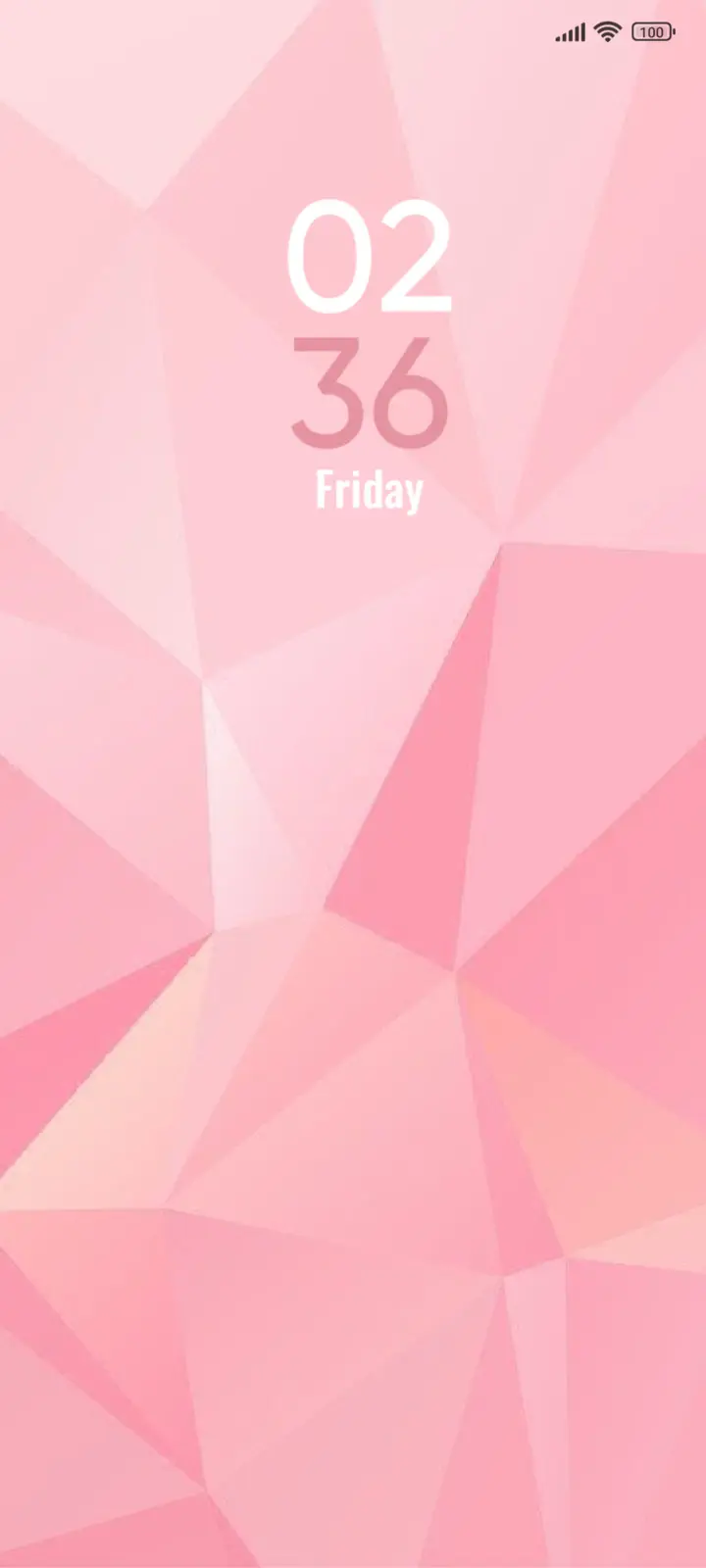
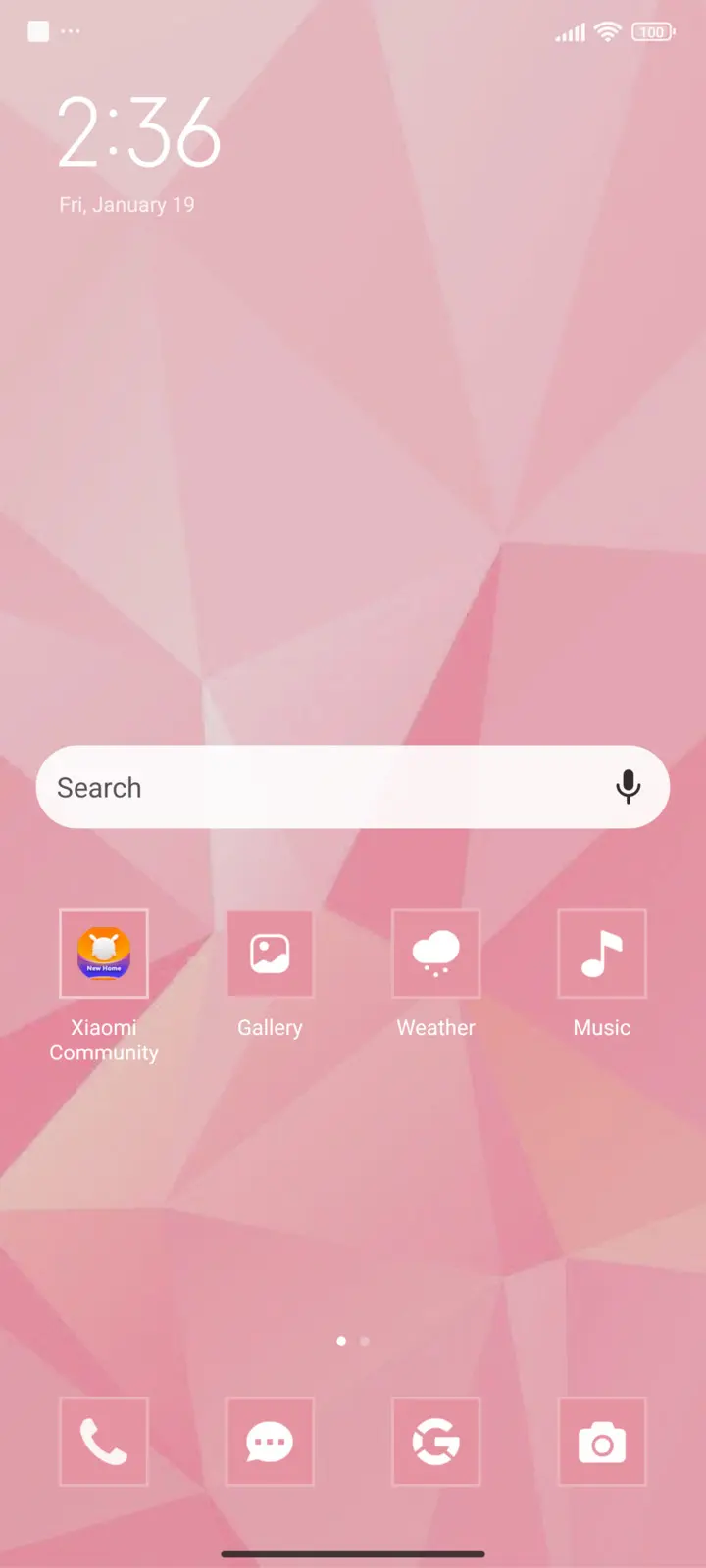
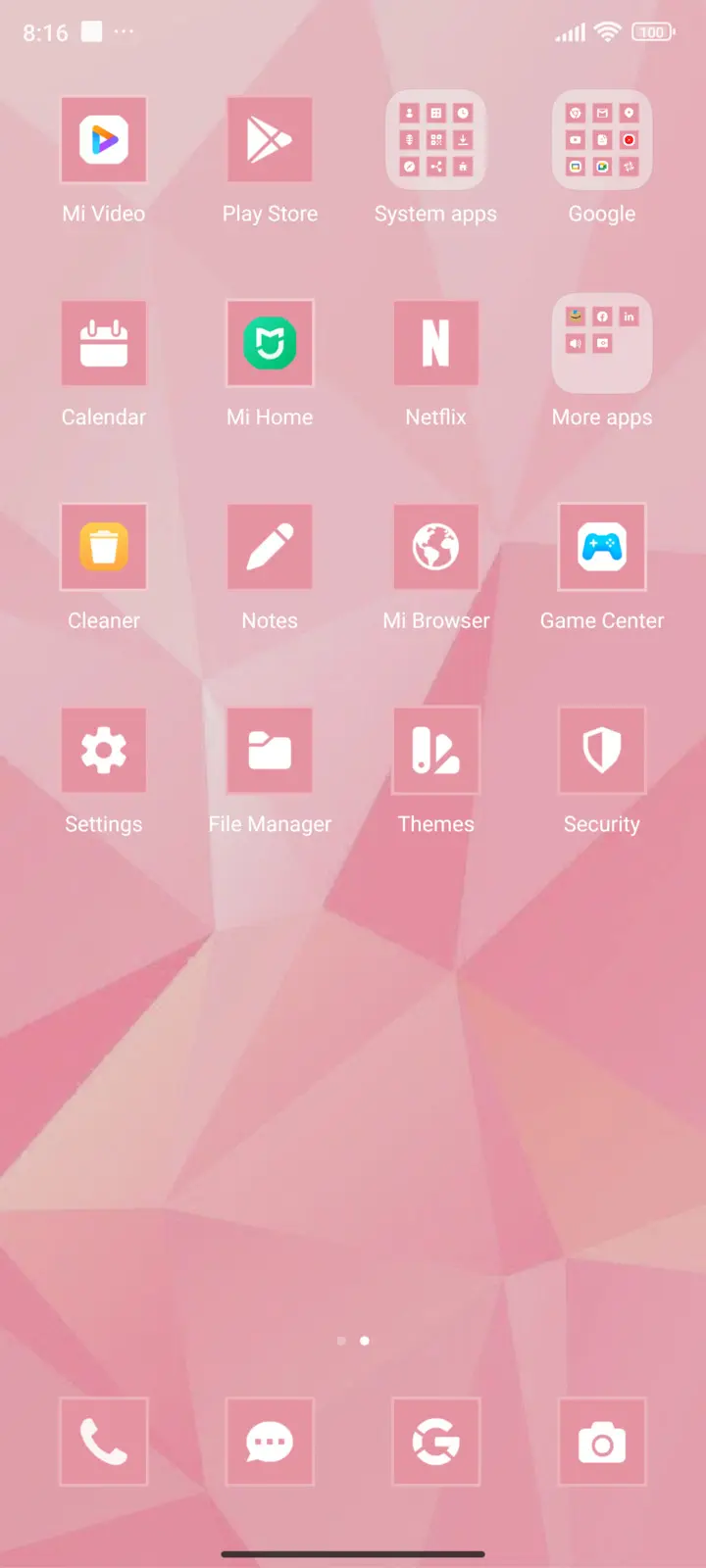
Pixel Weave by Rajat is pink from corner to corner. The wallpaper is a low-poly pattern of triangles in blush, rose and near-white, like light falling on folded paper.
What it changes
The lock screen shows a pale stacked clock with the weekday beneath. On the home screen, the search bar and icons are all tinted soft pink, so they blend into the facets. It is pretty, but that blending is also its weakness: in bright light, icons and background are close in tone.
At 2.66 MB it is one of the smallest themes on the site.
A closer look at the screens
Pixel Weave’s previews show a pink low-poly pattern, like folded paper, on every screen. The lock screen has a white clock and day in the centre, and the home screen keeps a small clock above a white search bar.
Icons are pale pink rounded tiles that almost blend into the wallpaper. The previews show the lock, home and icon screens only. At 2.66 MB it is tiny and soft.
Preview-based
There are only three official previews of Pixel Weave, and we have not tested it on our phone. We cannot comment on the control center or system screens because the previews do not show them.
Theme details
Everything to check before you install
Other soft themes
Sweet Leaf adds pink flowers to a light background, and Color Mixx mixes pink with blue.
What we like
- Tiny 2.66 MB file
- Soft, consistent pink look
- Matching icons
Keep in mind
- Low contrast between icons and background
- Not tested hands-on
Judging by its three previews, Pixel Weave is a gentle, very light pink theme best for people who value mood over contrast.
Get Pixel Weave
To try Pixel Weave, open this review in your phone’s browser and use the Theme Store button; at 2.66 MB, it is worth being on Wi-Fi first.






0 comments